
Intro (Top)
Case Study
Furry Friends
Found Easier
Dog adoption concept piece for the Google UX/UI Certificate Program.
MY ROLE: Everything
Goal Statement
Goal Statement
Targeting Picky Dog Owners
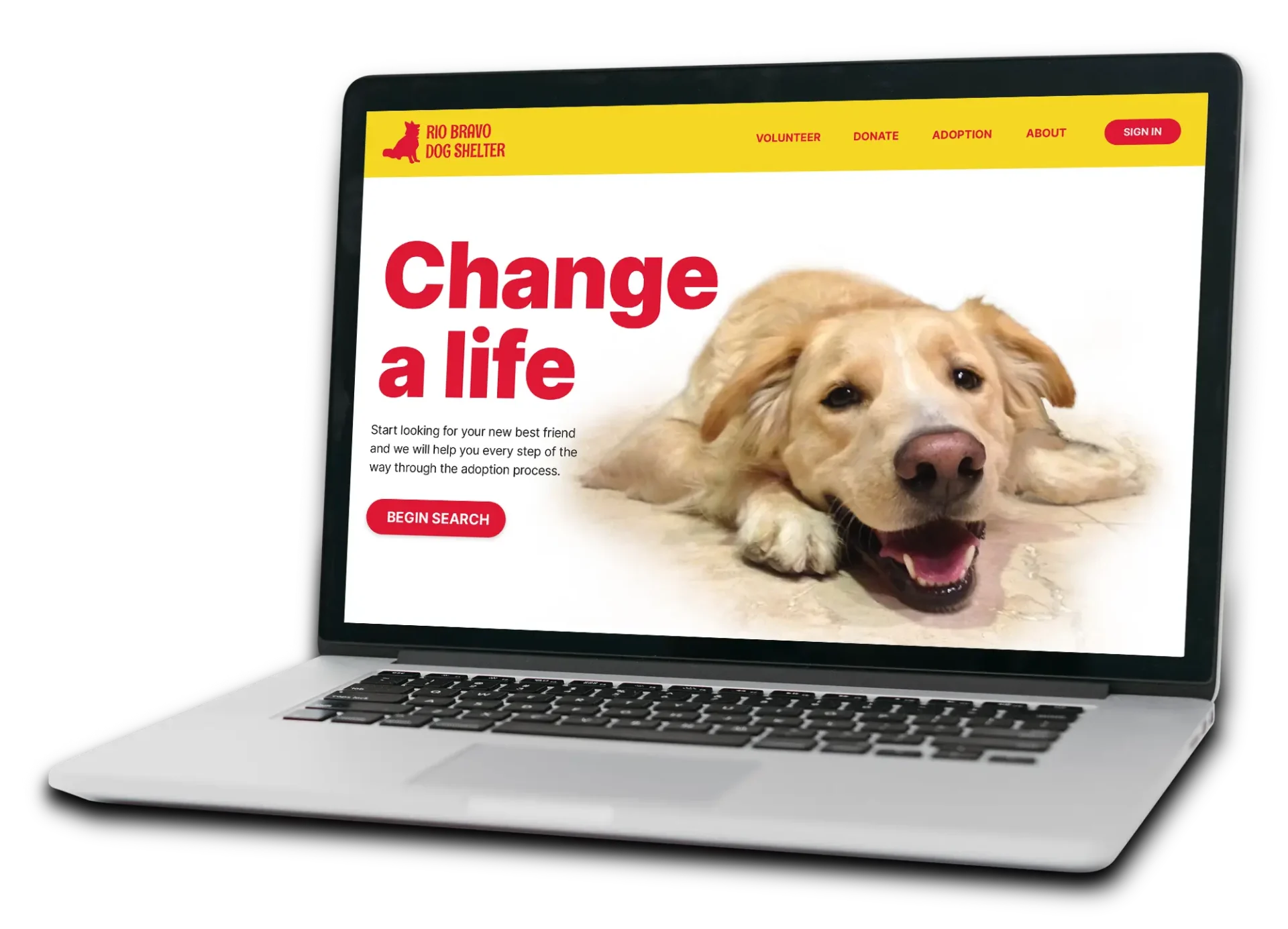
The local dog adoption responsive design will let users find specific dog types which will affect busy professionals who are interested in adopting a rescue dog by letting users sort dogs by breed, sex, size and temperament. We will measure effectiveness by usage metrics.

Competitive Audit
Competitive Audit
Researching Nashville Adoption Sites






Brainstorming
Brainstorming
Immersing in the Content
Building upon the competitive research by getting to know all about dog adoption terminology and then developing a mood board to help inspire visuals.

Empathize
Empathize
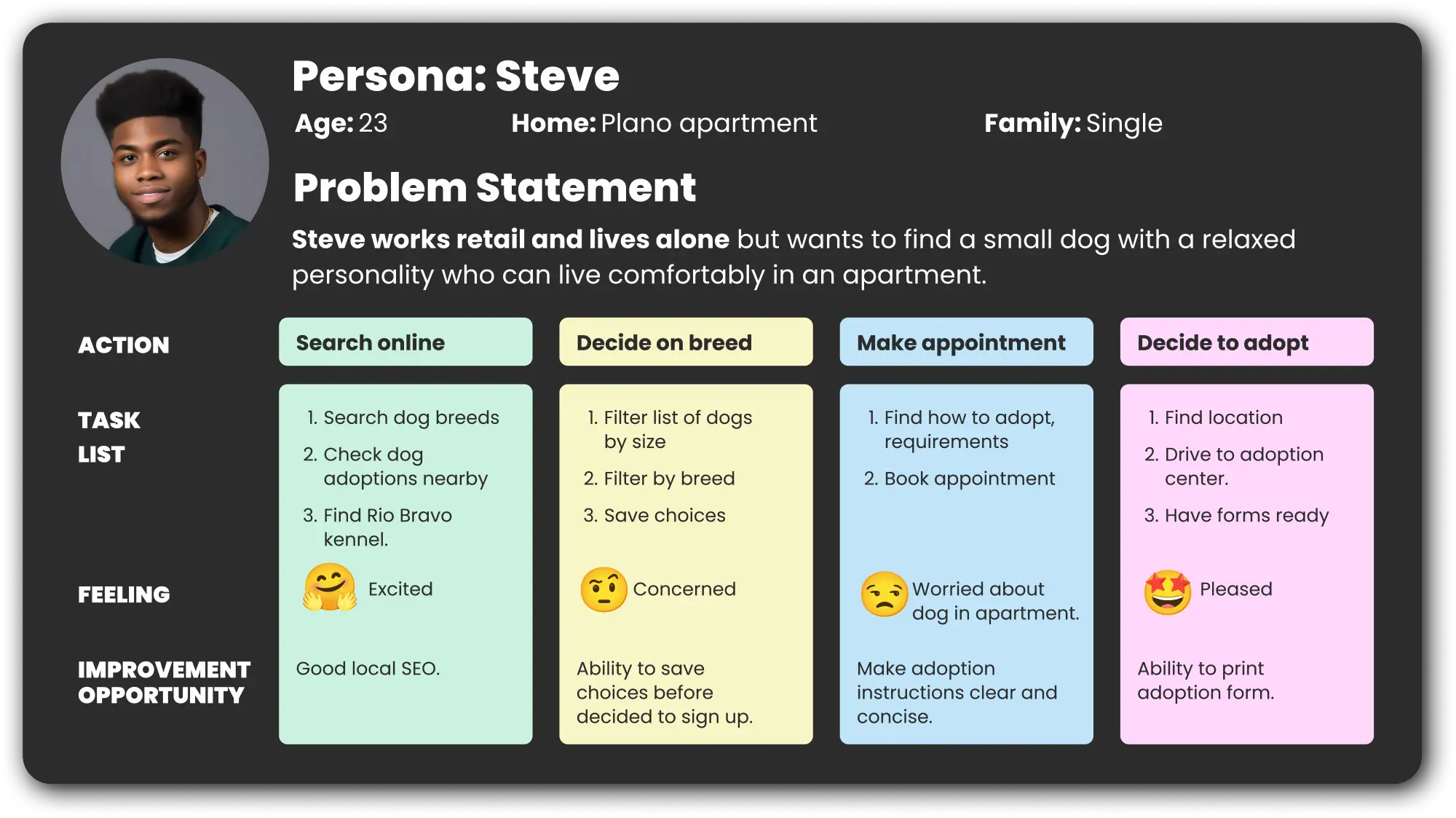
Persona's User Journey
Based on three different personas, the choices and paths were followed necessary to solve each user’s problems.
Page Narratives
Page Narratives
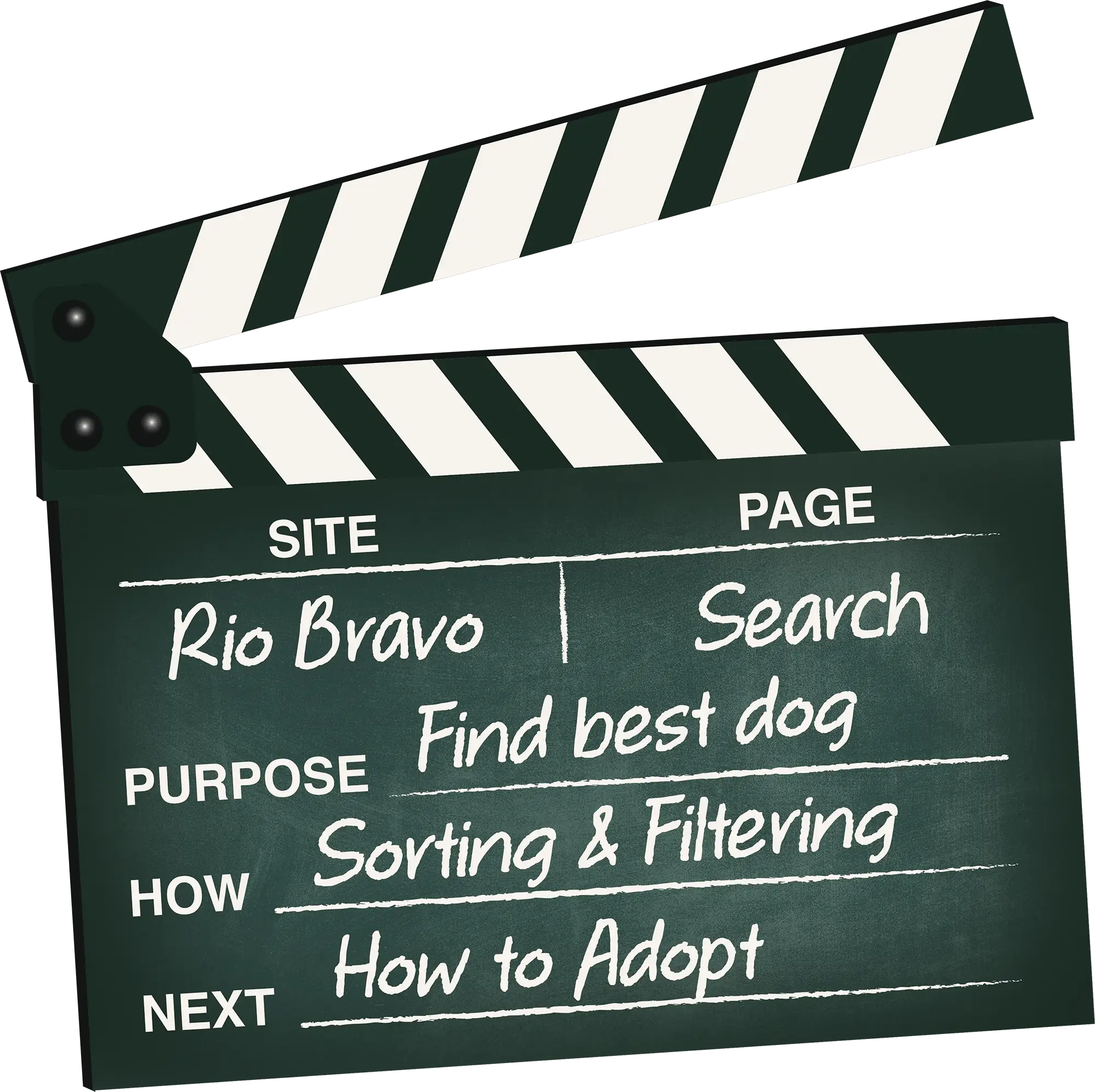
Aligning Content to Site's Goals
Each proposed page is aligned to the site’s purpose and how it will satisfy the users, as well as where the user is directed next to an actual adoption.
Site Map
Site Map
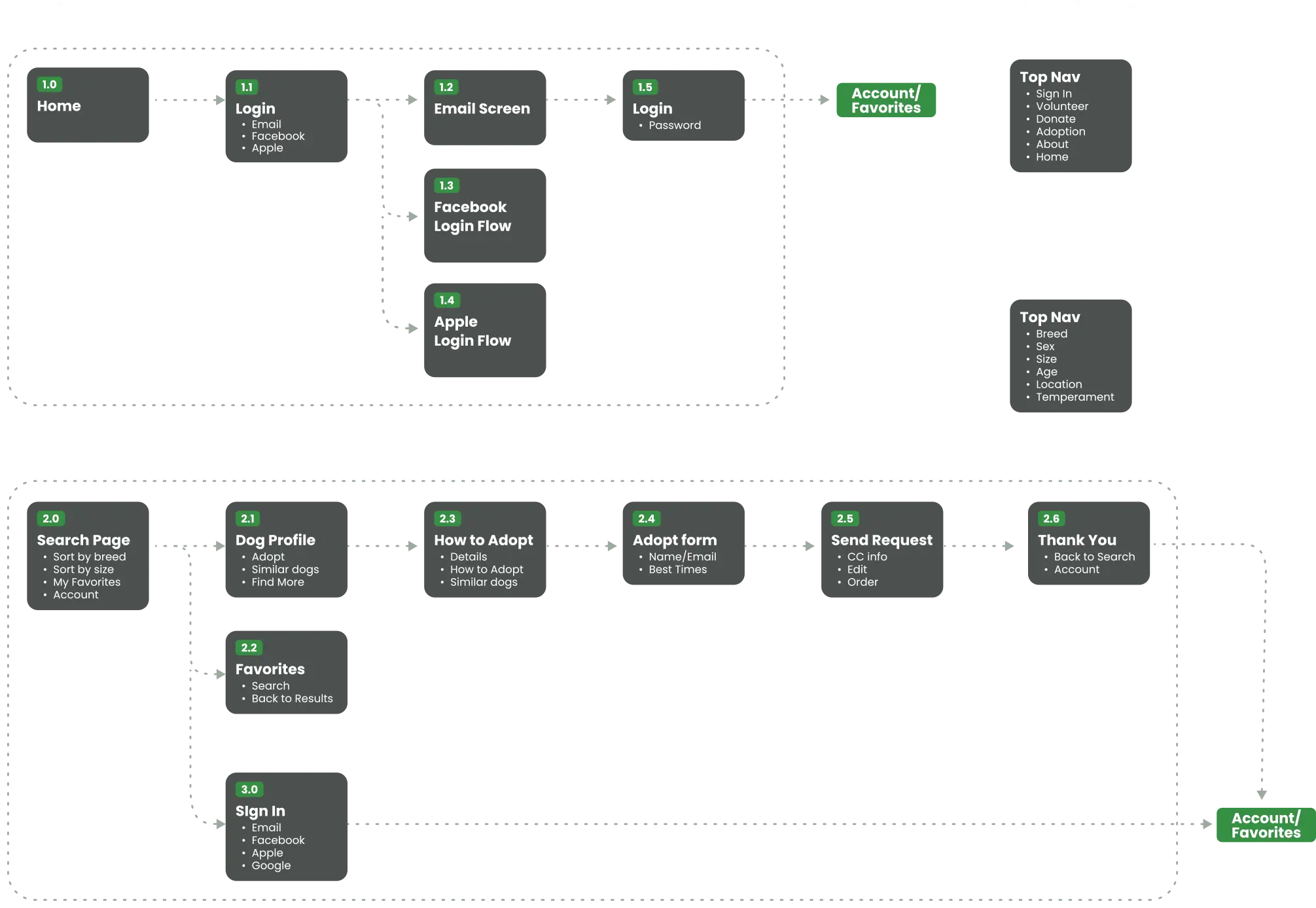
User Flows
A site map is organized after brainstorming sections and categories. Then flows are created to satisfy the users’ needs.
Ideation
Ideation
Exploring Visual Solutions
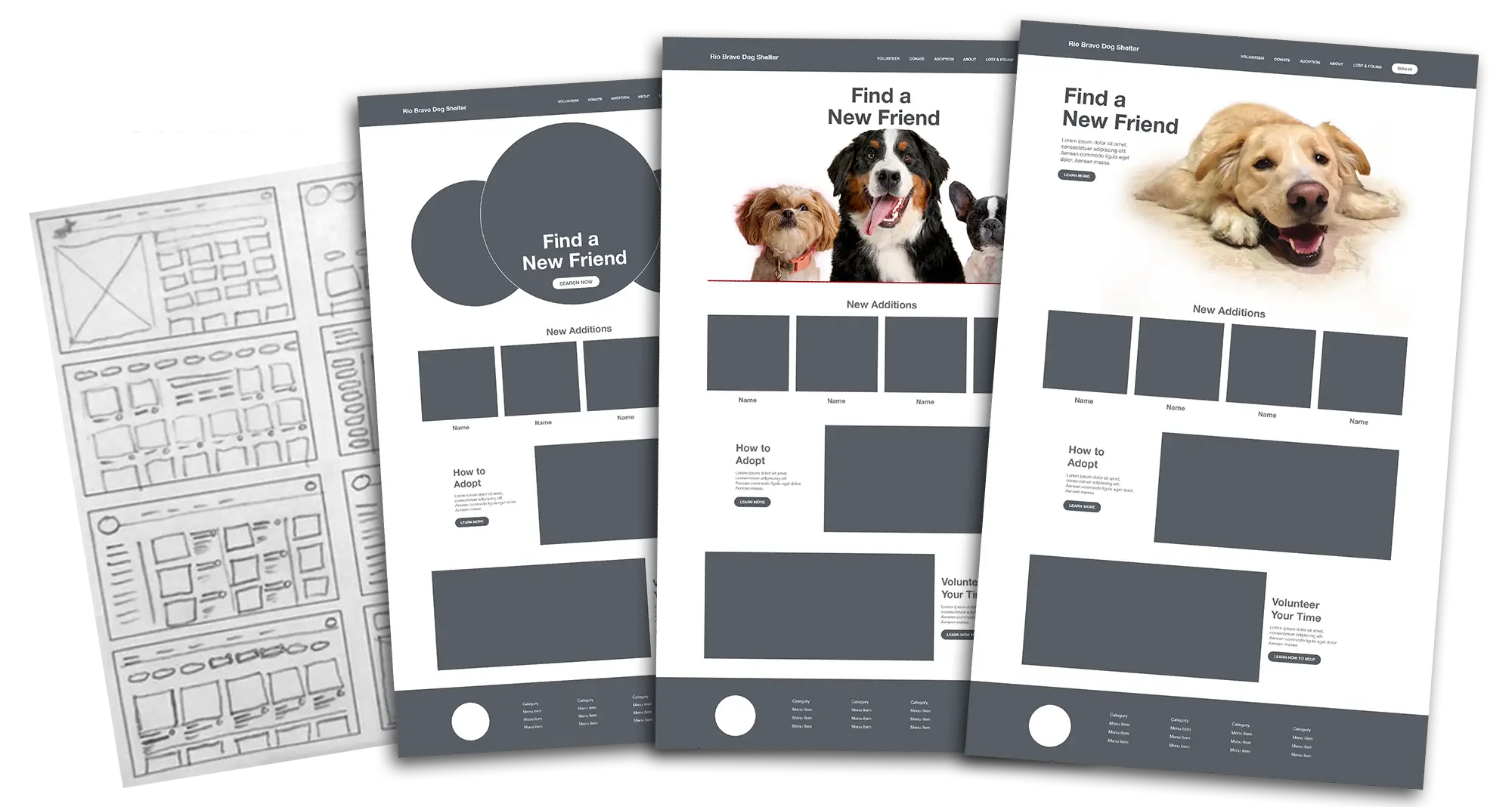
Quick sketches are made to explore different ways of accomplishing the site goals. Concepts for branding and a hero image are also explored.
Strategic Plan
Strategic Plan
Plotting the Moves Ahead
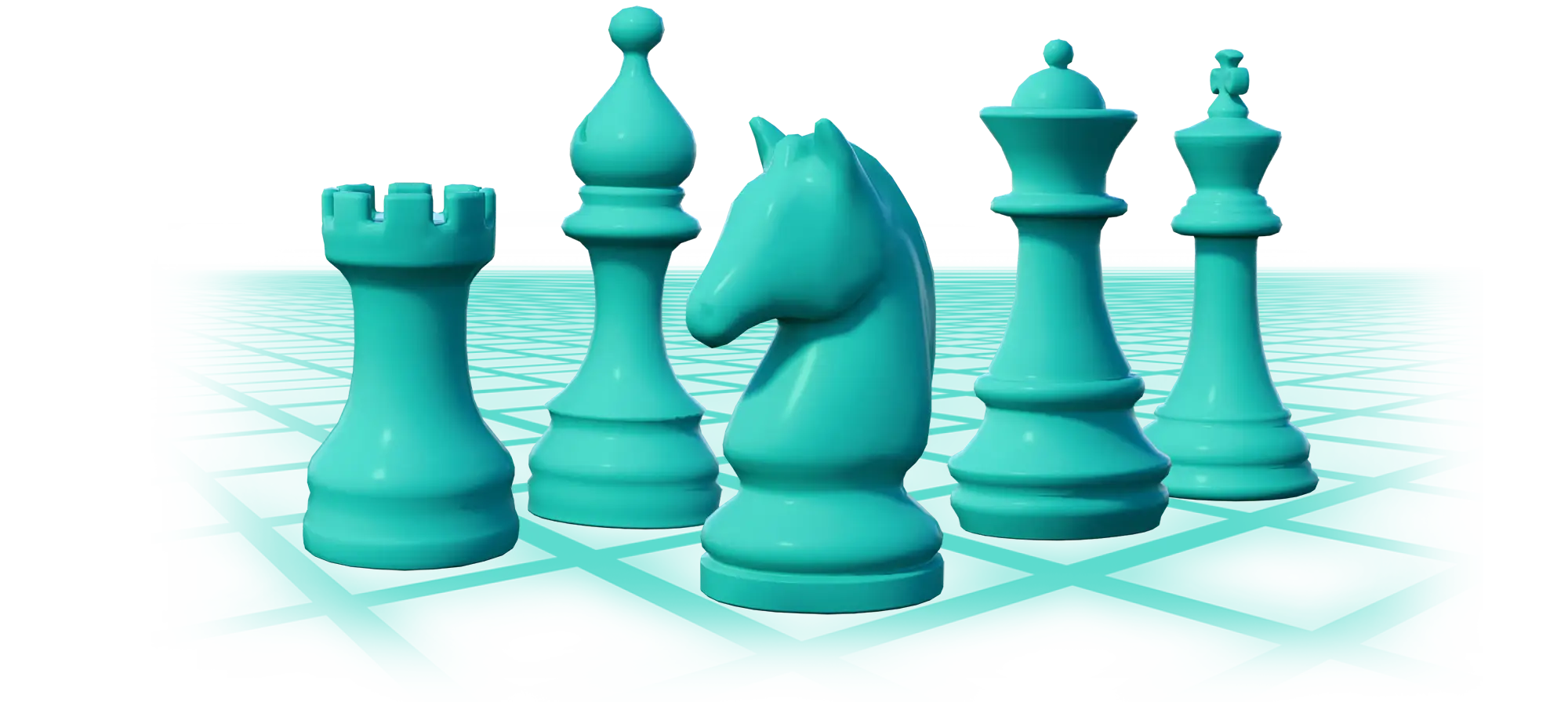
Key research and ideas for the future app are organized in order to get the client’s feedback. Results and proposals from empathizing with the user, defining the problem and ideating concepts are shown to the client for approval prior to the design phase.
Wireframes
Wireframes
Key Pages Sketched Out
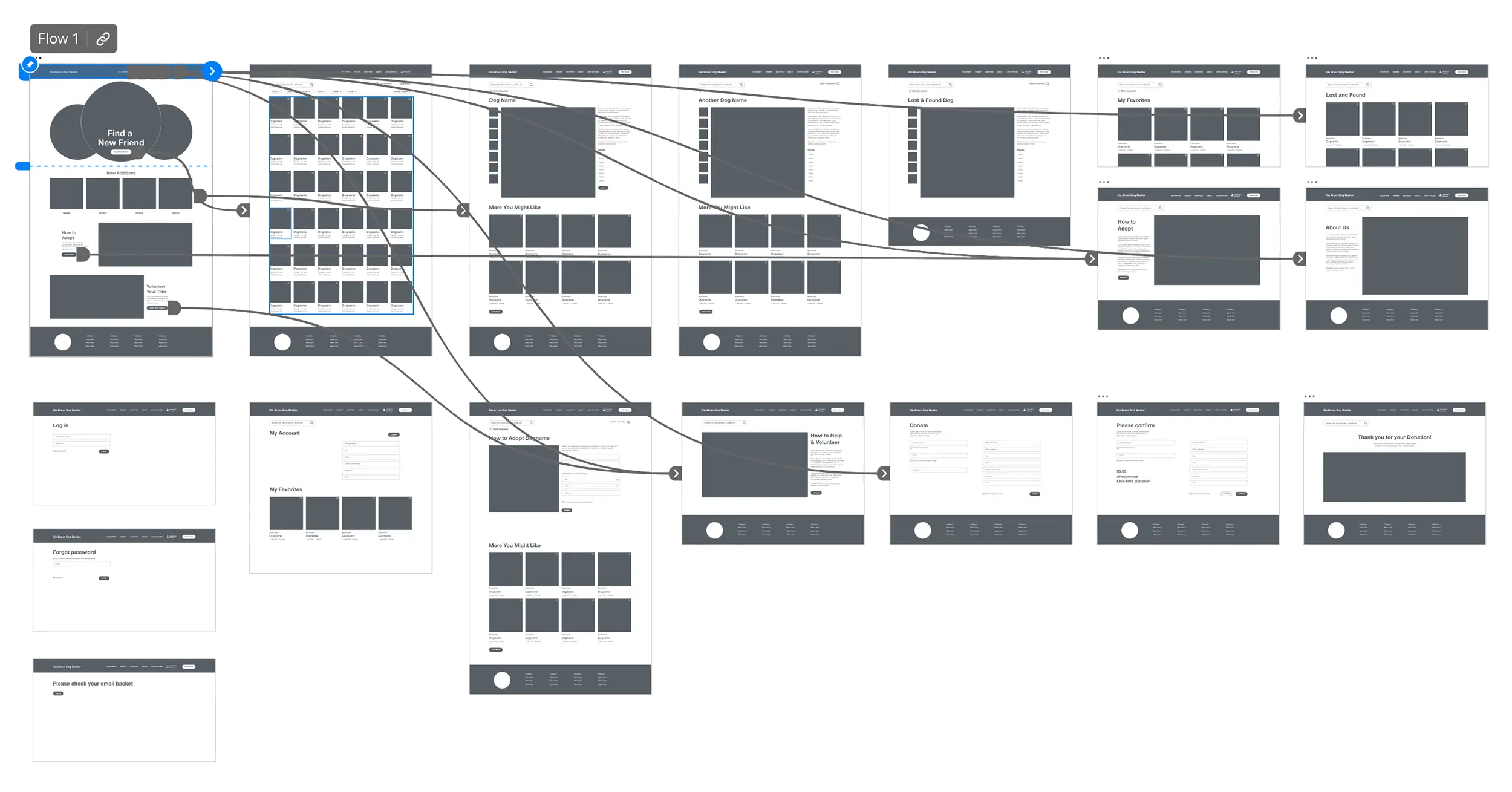
Before wireframing the entire site, key pages are designed in low resolution to decide what components are needed to create a working style sheet and design system. Pages to complete specific user tasks are connected to assist with a usability study.
Style Guide
Style Guide
Organizing a Design System
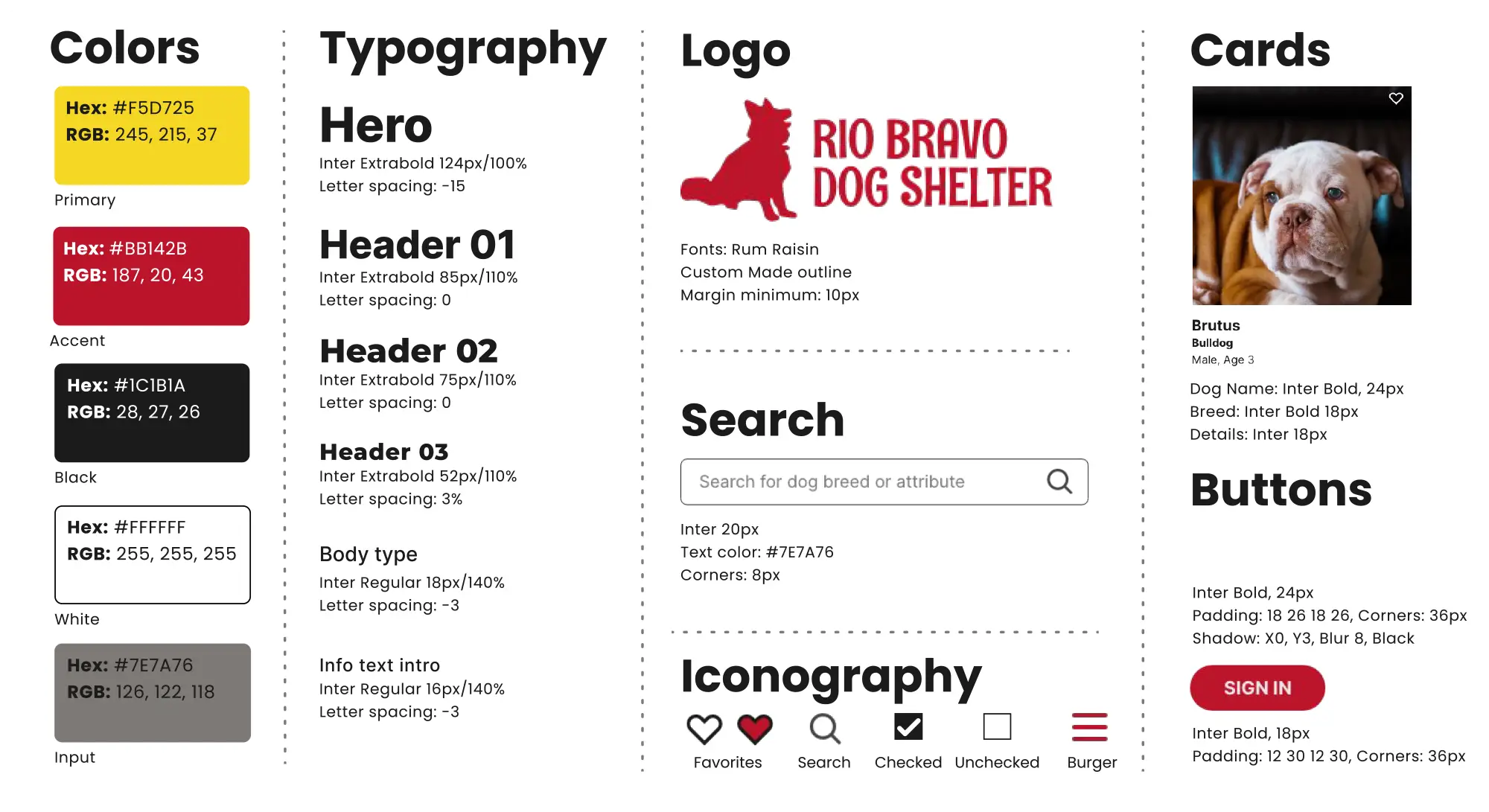
Branding, typography, icons, colors and more and gathered into a useful Style Guide. Individual UI elements are further organized into useful components like cards, buttons and labels which are further packaged into modules and templates for a Pattern Library.
Usabiliity Study
Usability Study
Responding to User Feedback
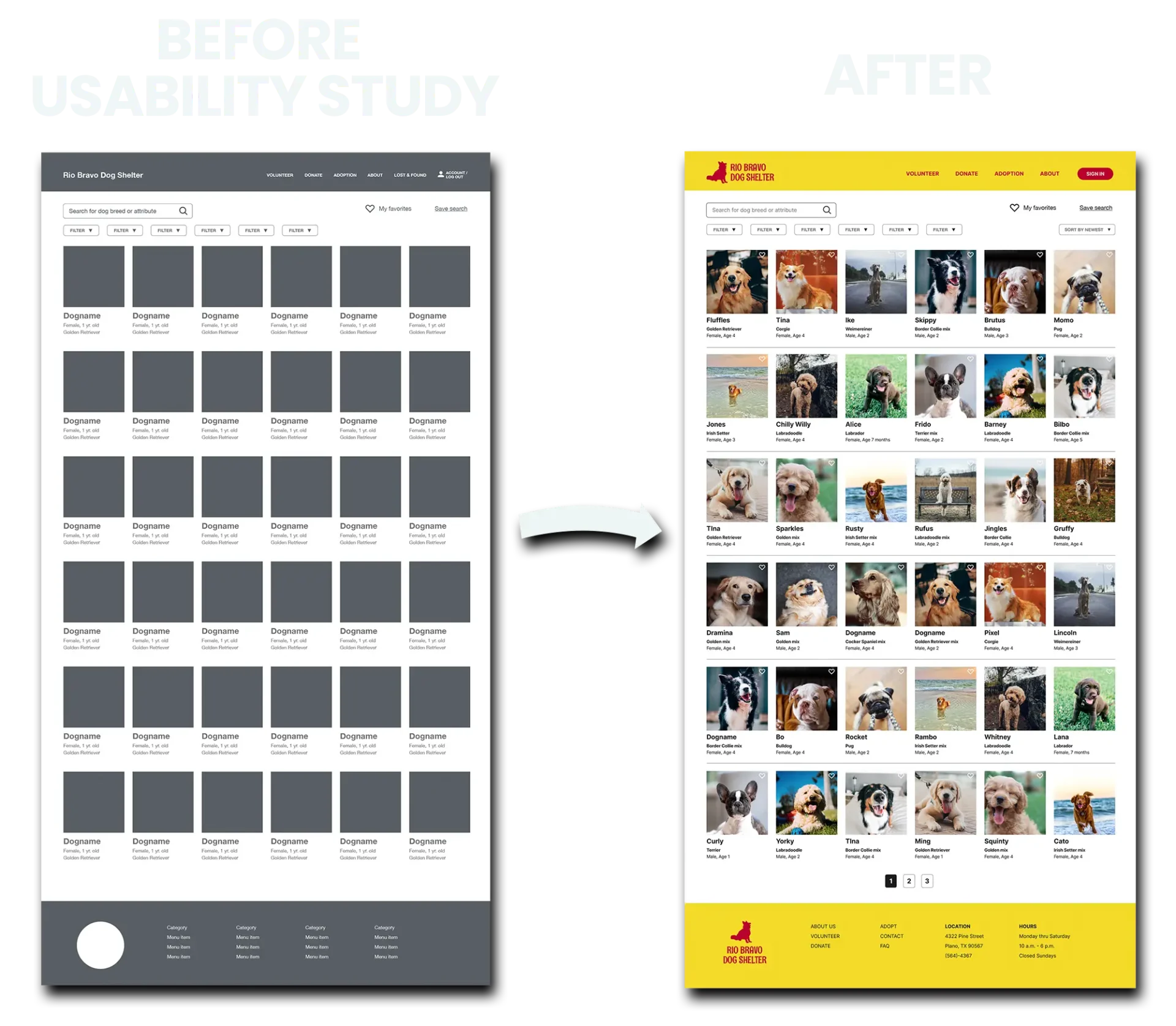
Users wanted a way to save favorite dogs as they continued to search, so heart icons were added to each dog picture to easily save. A sorting dropdown was also added based on feedback. Overall users found the site easy to navigate and found how to volunteer and become a foster were of marked interest.
Accessibility
Accessibility
Ensuring Readability
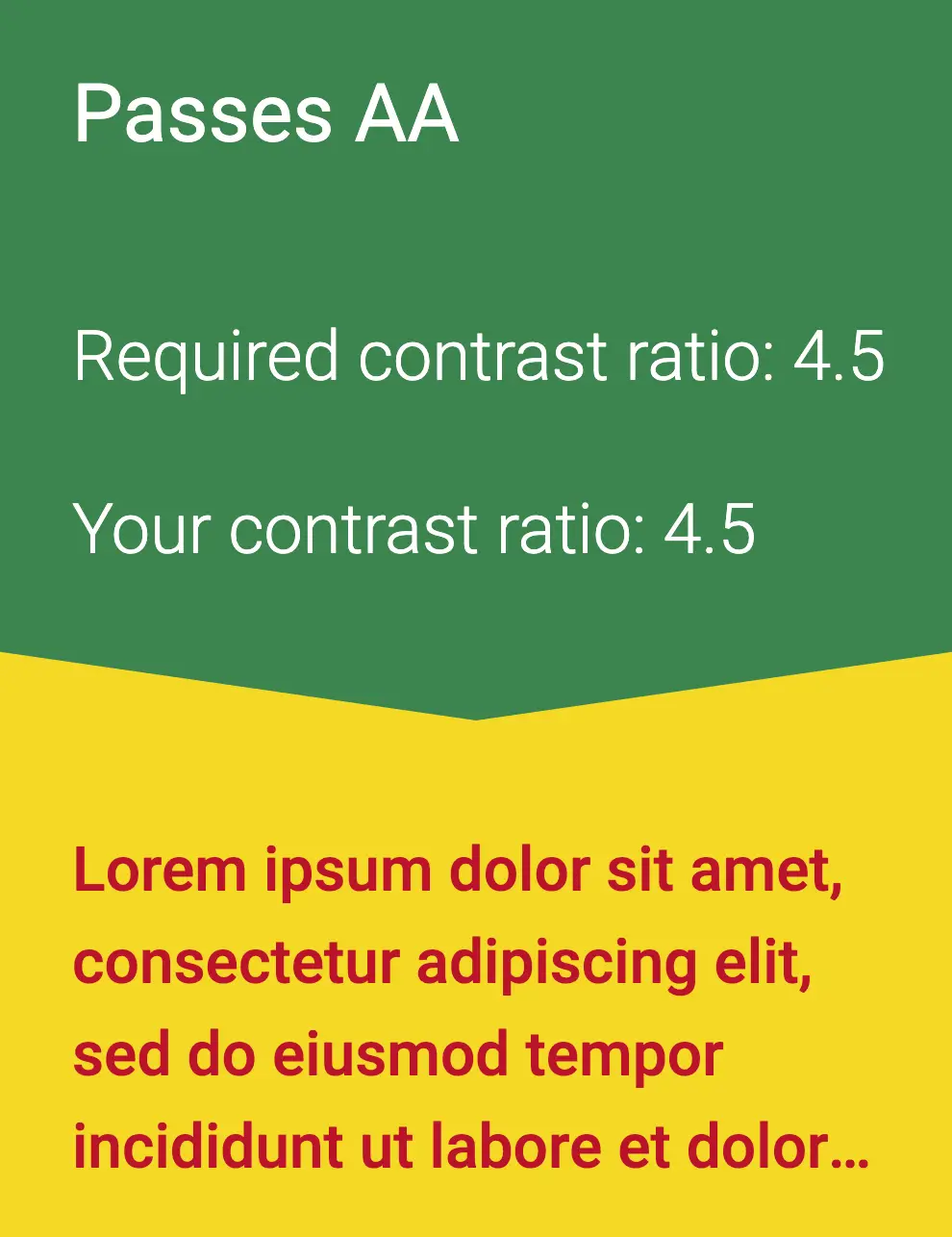
Visual color choices and text sizes are checked with online accessibility tools to make sure there is proper contrast and text size for the visually impaired. What appeared to be an easily readable red on yellow text failed, so the red was darkened.
Prototypes
Prototypes
High Fidelity Time
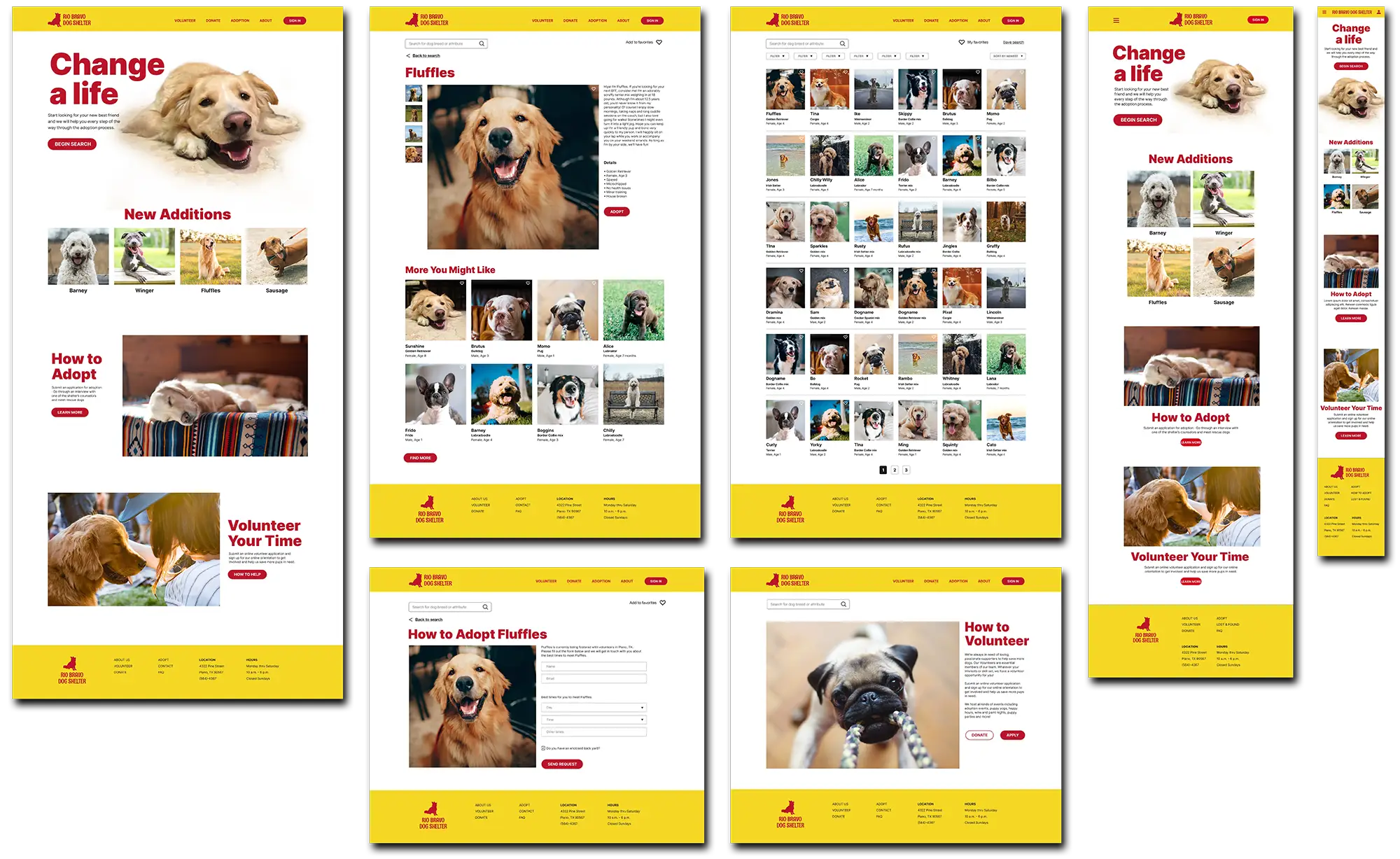
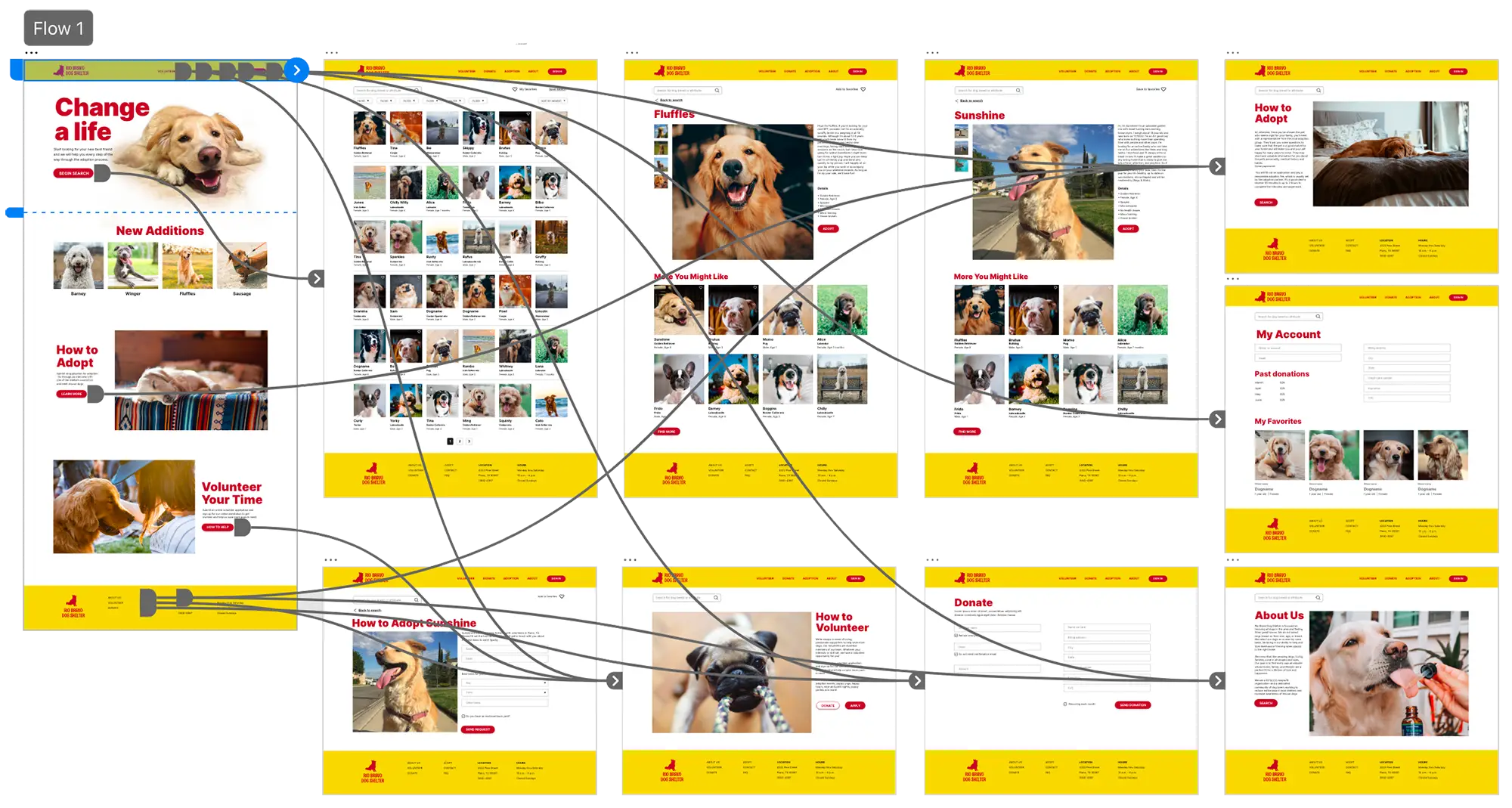
The design system is applied to the wireframes and pages are connected into working user flows.
MAIN FLOW
 CLICKABLE PROTOTYPE
Conclusion
Conclusion
Experience Gained
and Next Steps
The UX process led to discovery of unexpected user expectations when adopting a dog and revealed flows necessary to achieve those goals. Limitations to Adobe XD’s repeat grid (which does not work with components) was worked around when making the dog search results. Next steps would monitor if multiple profile photos of each dog becomes a problem for site managers. If so, a slight redesign of the profile page template might be in order.